
From the first email to the invoice, every step has a module
Seferi is one product; the modules are its parts. All of them are open for every customer — the bands differ only by vehicle count, and no feature is locked behind a higher one.
- Banded by fleet size
- Every module open
- Monthly contract
Each module takes one job off your hands
The cards show what a module does and how it looks inside the product. Open one for the detail: the problem it closes, the daily flow, and what changes afterwards.
The plan is rebuilt from scratch every morning.
AI suggests the right vehicle.
It scores free vehicles by distance and capacity and suggests the best fit for the job; you approve the assignment.
You measure the distance roughly off the map.
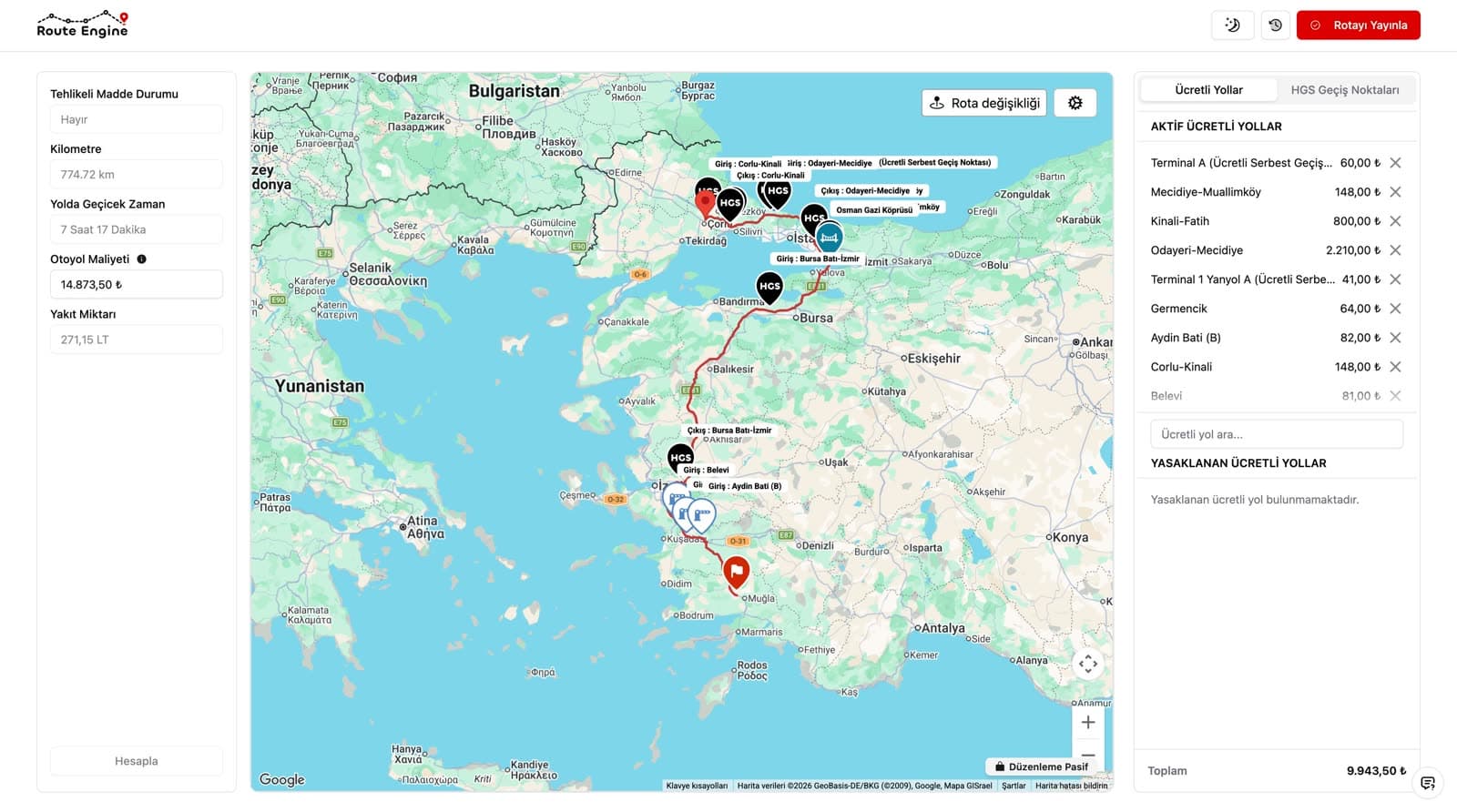
You see the road cost up front.
It works out distance, duration and the toll for that vehicle class.
The request sits in the inbox.
AI prepares the quote.
It pulls the load, the address and the request details out of the email.
The job is explained by phone, the paperwork comes by hand.
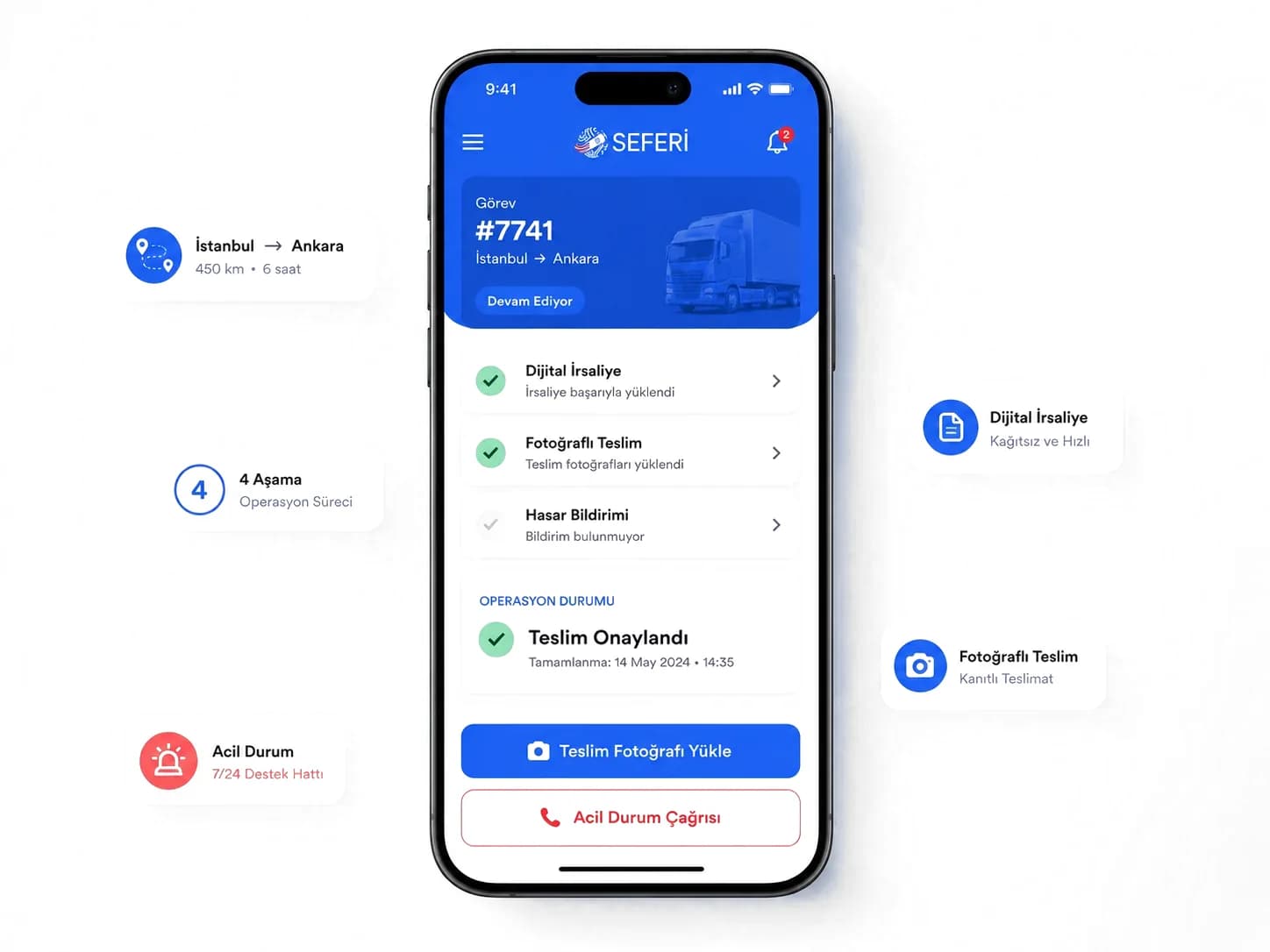
The driver sees the job on the phone and uploads the document there.
Address, load details and delivery terms arrive on the phone; the waybill and delivery photo they upload show up at the office right away.
The day goes on “where is my load?” calls.
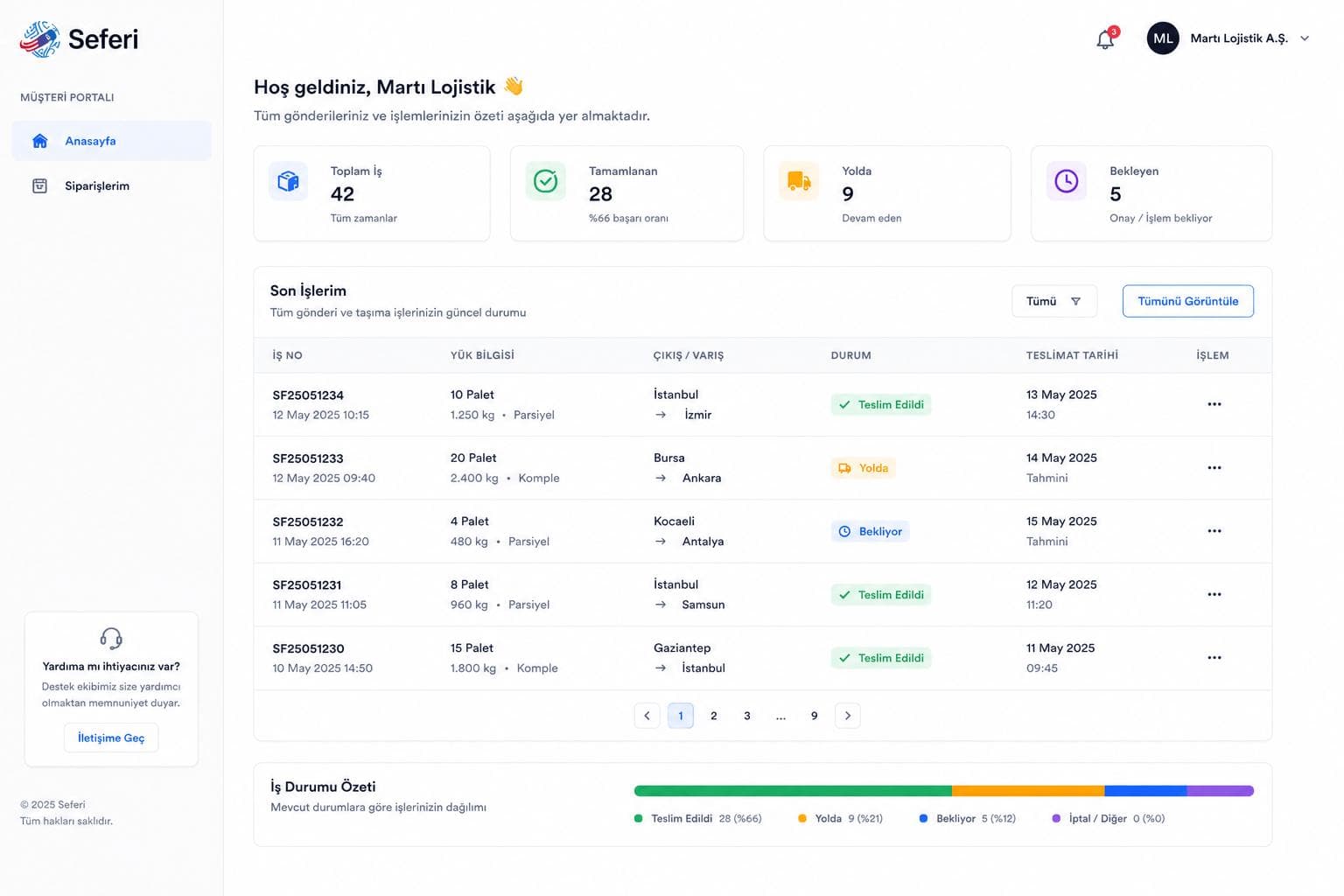
Your customer sees the answer without calling.
Your customer follows the load live and downloads the delivery document without asking the office.
The report is read after the month closes.
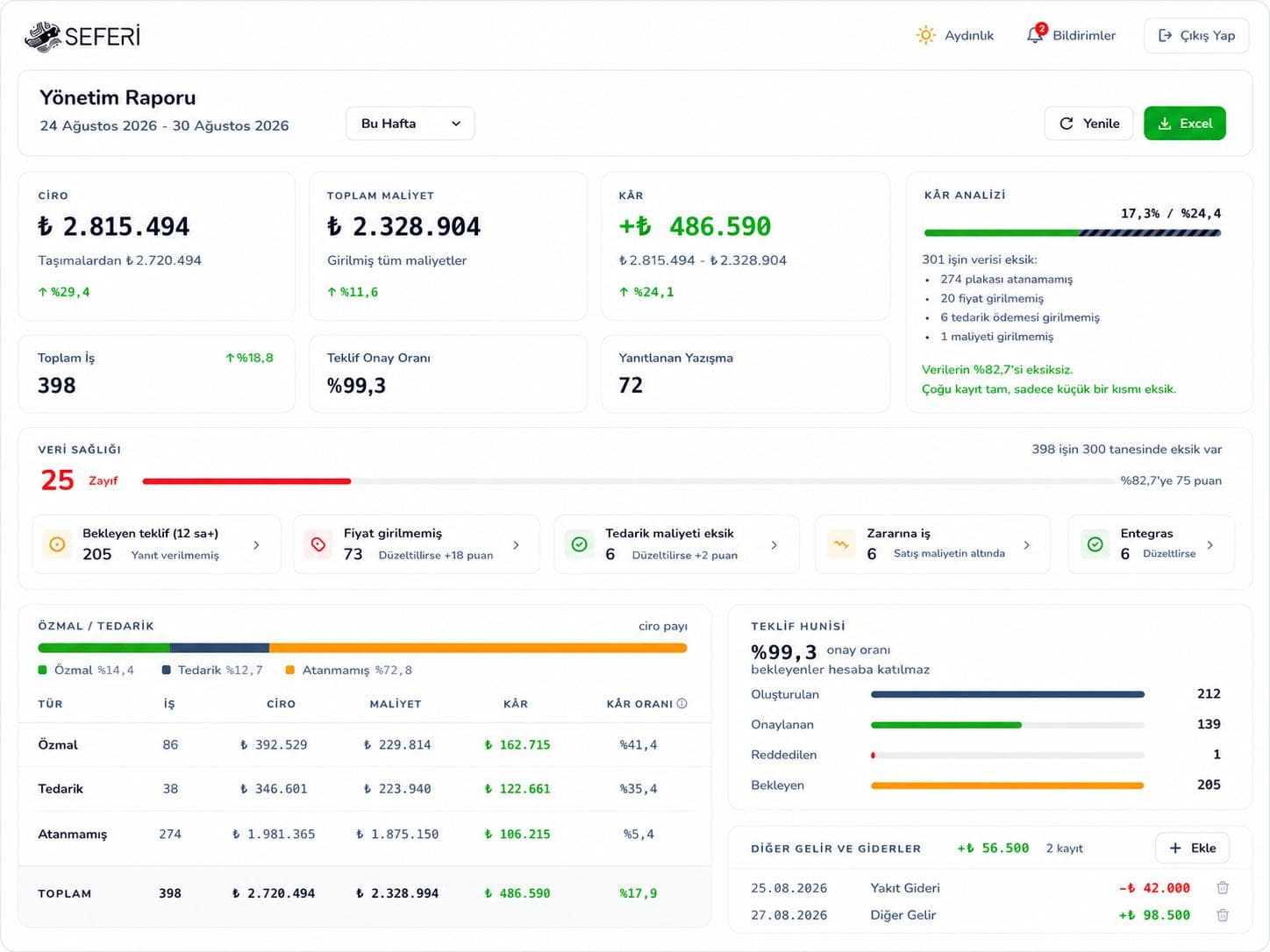
You see the problem on the day it happens.
The period's profit sits on the same screen as the trips that lost money that day — job by job.
Timesheets are kept by hand.
The month's timesheet is already done.
A driver counts as working on the day a job is assigned; days, kilometres and which jobs they ran build up on their own.
Job assigned → that day counted as worked. Figures are illustrative.
Everyone can see everything.
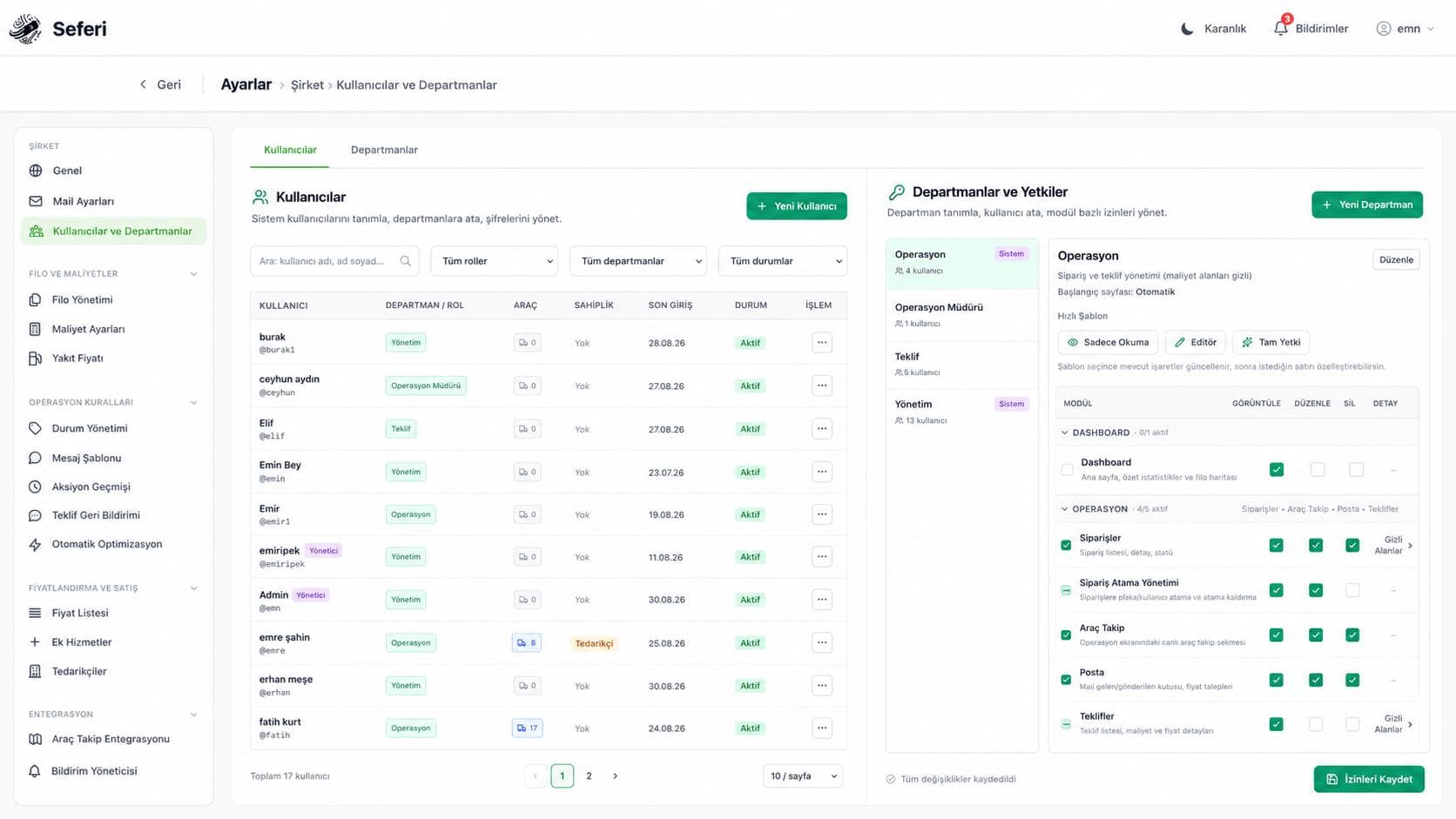
You choose who sees what.
Open only the screens each person actually needs.
Coming soon
Modules still in development. When they ship they are included in your current plan, at no extra charge.
Every morning you plan the same jobs again.
You plan the month once.
It builds recurring shipments in bulk and ties vehicle and driver in advance.
You only touch the job that changed
The truck runs and the odometer turns; how much of it was empty?
You can see where empty kilometres come from.
It reports distance driven without a load by vehicle and by lane.
Figures shown are illustrative.
Your operation decides which module pays off on day one
The order is not a constraint — every module is open from the start. This list only shows what makes a difference first.
Requests pile up in the inbox and quotes go out late
Mail + Optima
The office spends the day phoning drivers for status
Driver Mobile + Customer Portal
Month-end starts with "why was profit low?"
Reporting + Timesheets
See it on your own operation
In the demo we read a real request from your own inbox and turn it into a quote, then show how that job flows to the field and into the report.