
Seferi Customer Portal
Let your customers track their own freight
- Their own screen
- The customer tracks the load themselves
- Live
- Trip status
- Automatic
- Delivery notifications
Some of the brands that trust us




- and more
The module from start to finish
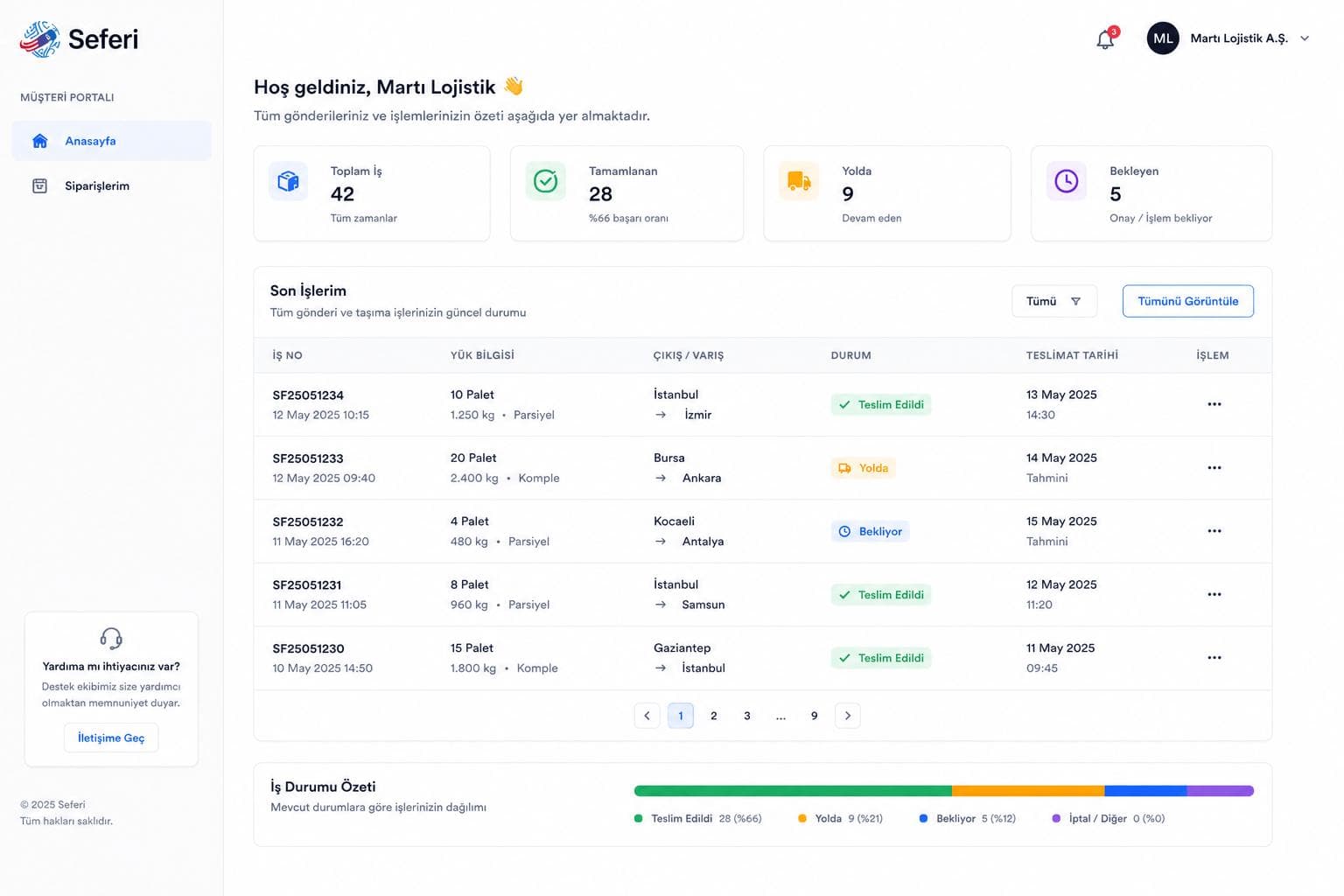
Customers follow their loads, trip status, waybills, delivery documents and invoices on their own screen — without having to call anyone to ask.
Product screen
The customer sees it without asking
Customers follow their own loads and trips live instead of waiting for an update from the operations team.
How the work flows
Document access
Waybills, delivery documents and the invoice archive are available in the portal according to the customer's permissions.
- 1
Freight order lands in the portal
- 2
Trip status is tracked live
- 3
Delivery document is shared
- 4
Invoice archive becomes visible
Panels on the screen
Automatic notifications
Customers receive automatic e-mail notifications on delivery, delay or any change in trip status.
Customer PortalCuts down "where is my freight?" calls and raises both customer satisfaction and operational transparency.
What does this module take over?
On the left how it runs today, on the right how it runs in Seferi.
Customers keep calling to ask where their freight is.
Customers see trip status and delivery documents in their own portal.
Customer service repeats the same information over and over.
The portal and automatic notifications make customer communication scalable.
Used in the daily work
Every item maps to a screen inside the product — none of it is a roadmap.
- Creating and tracking freight orders
- Live trip status and real-time vehicle location
- Past trip and invoice archive
- Digital waybill and delivery document download
- Automatic delivery notification e-mails
Who uses it
The same module does not open the same screen for everyone on the team.
Customer
Follows their own loads and trip status in the portal and downloads their documents.
Customer service
Points to the portal instead of giving the same answer over and over through the day.
Operations
Once the delivery document is shared, the customer does not call again.
Once this module is switched on
In the demo you see these on your own data.
The "where is my load?" phone call drops off.
The same answer no longer has to be given over and over through the day.
The delivery document reaches the customer without them asking.
What gets asked most before a demo
Can the customer see everything?
No. A customer sees only their own jobs; access to documents and invoices follows their permissions.
Does the customer have to install anything?
No. The portal opens in a browser.
Where do notifications go?
Delivery and trip status changes are emailed to the customer automatically.
See Customer Portal running on your own operation
The demo is not a slide deck; it is a session that runs on your own data.
- 01
A 30-minute call
We listen to your operation: how many vehicles, which lanes, which step is still done by hand today.
- 02
A run on your own data
We read a real request from your own inbox and turn it into a quote; you see your own lanes on screen.
- 03
A rollout plan
Which module goes live on day one, what gets migrated, and the per-vehicle price — in writing.