
04
Dispatch Plan
One row per shipment: load, places, date and the assigned vehicle. Capacity and utilisation are formulas.
Excel template
An Excel file that shows which load is on which vehicle, how full it is, where each shipment stands and which ones still have no vehicle.
No sign-up, no email. The file downloads directly.
The same plan, two ways of working.
seferi-dispatch-plan-template.xlsx
.xlsxColumns with a blue header are formulas; they fill themselves. Rows arrive empty.
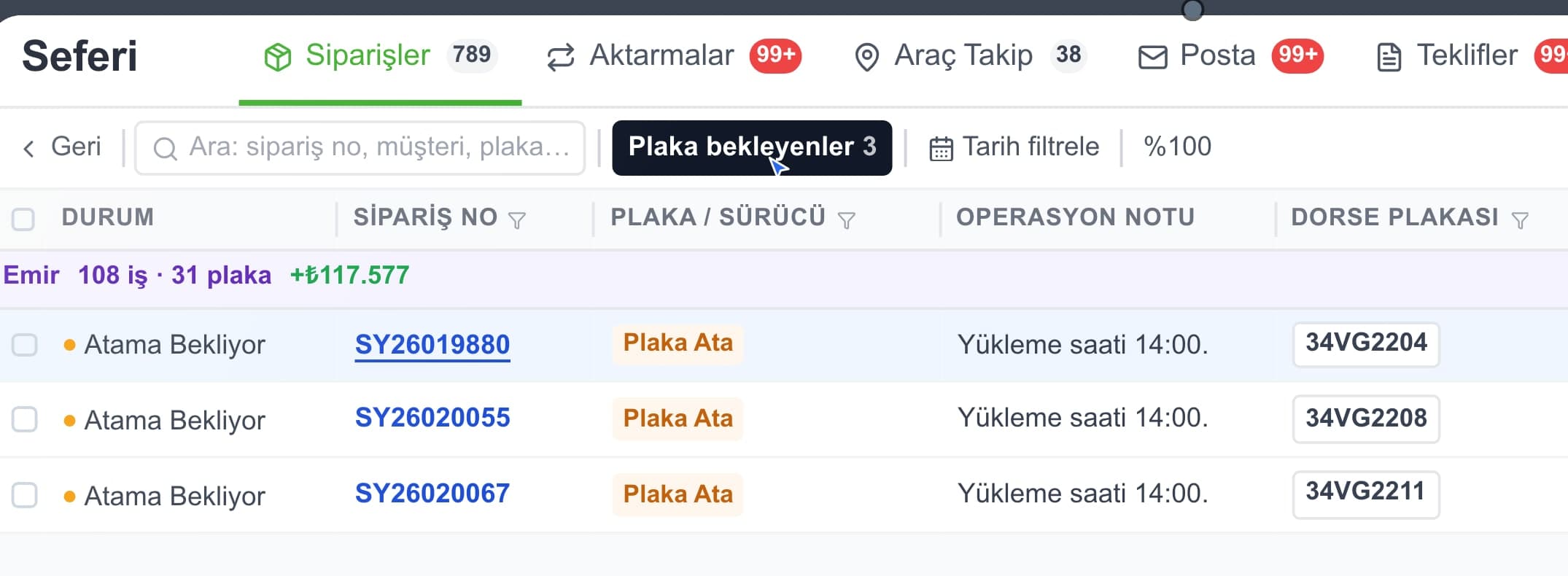
The same plan — one record, the whole team on one screen.
No need to recreate the shipments one by one.
This job in Seferi
From the product film · narrated in Turkish, with captions
You list your fleet once; after that each shipment only needs a plate.
One row per shipment: load, places, date and the assigned vehicle. Capacity and utilisation are formulas.
Your own fleet: plate, vehicle type and capacity. The plan sheet pulls capacity from here.
Planned shipments, total load, average utilisation and how many shipments still have no vehicle.
Which columns are formulas, why utilisation stays blank and what 'Unassigned' is for.
Columns with a blue header are formulas — do not overwrite them. The rest is your data.
Shipment
Load and vehicle
Calculated
The Vehicles sheet arrives empty: no preset plates, no preset capacity. Until you enter capacity, the utilisation column stays blank too.
You have seen the columns. The file itself is one click away — no sign-up, no email.
Building the plan in Excel is perfectly workable, and the template exists to make that easier.
The limit shows up the moment the plan starts changing. A dispatch plan is correct in the morning; by midday a vehicle breaks down, a customer moves a slot, a collection runs late. The gap between whoever edits the file and the driver out on the road gets closed by phone.
The second limit is distribution. The moment you send the plan it is a photograph; the driver's copy and yours stop matching and nobody knows which one is current.
The third is feedback. Excel shows you the plan, not what actually happened. Seeing the gap between planned and actual needs data coming back from the trip itself.
You cannot split thirty jobs across twenty vehicles in your head; dispatch planning is a concrete chain of decisions from order to sequence.
02What breaks dispatch planning in Excel isn't the spreadsheet — it's two people filling the same one with different decisions at the same time.
03The empty-miles ratio is a fleet's invisible cost: here is the formula, why empty running happens and how operations cut it down.
04Excel is the right tool at small scale; the problem is never the file itself, but what happens once more than one person writes into it.
Profit per trip, cost per kilometre and the empty-kilometre ratio, formulas included.
Shift hours, shifts that run past midnight and the total per driver.
The quote document you send a customer — it also asks what the price includes.
Levels three carriers onto one basis: not the headline rate but a comparable total with excluded items added.
What people ask most before downloading.
If that plate has no capacity on the Vehicles sheet, utilisation cannot be worked out. There is no preset capacity in the template; capacity depends on the fleet and the freight, and a figure baked in would be a claim about how much fits on that vehicle.
Rows that have an order number but no plate show as 'Unassigned' and are counted on the Summary sheet. That is the one number to look at in a planning meeting: how many shipments still have no vehicle.
No. We do not ask for an email and there is no form. The file downloads as soon as you click.
Formulas are pre-filled for 200 shipments on the plan sheet and 40 vehicles on the Vehicles sheet. For more, copy the last row downwards.
In practice they are three states of the same table. Empty, it is a plan: which load, which day, which vehicle. As you fill it in and work through it, it becomes a tracking sheet — the Status column holds where each row stands. The form is the row itself, the fields you complete when a shipment is recorded. This template does all three in one file; keeping a separate tracking file means writing the same shipment twice, and two tables drift apart at the first change.
The Status column on the plan sheet is there for that; you type it, it is not a formula. We did not ship a fixed list of statuses because the stages differ by company — some get by with loaded, in transit, delivered, while others track customs and unloading slots separately. Write your own stages; the Summary sheet already counts unassigned shipments on its own.
Calculators, Excel templates and reference tables in one place.
All free resourcesIn Seferi the dispatch plan lives on one record: change an assignment and the driver's screen changes too, and the trip that actually happened is written to the same place.